Creator Tech
Best AI Tools for Creators — the 5 I Actually Use Daily
Michael tested the AI-tool flood so you don't have to. Transcription, editing, thumbnails, voice — the 5 tools that survived a year of daily channel production, and the ones that got deleted.
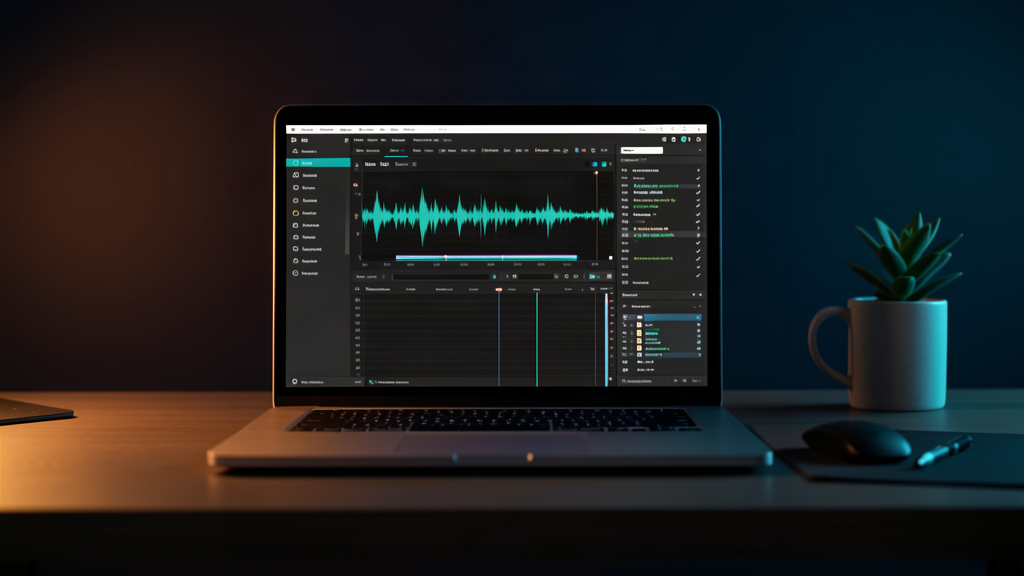
Short version: There are a thousand “AI tools for creators” and almost all of them are demos wearing a subscription. After a year of daily production on TechnoWonderboy, five tools earn their keep. One will save you more hours than any other software you own.
I have a rule about AI tools now: a tool has to survive a month of real work, not a demo video. The demo always looks magical. The real work is where tools die — because they hallucinate, or they cost more than they save, or they produce output I’m embarrassed to post.
Here’s what survived a year of weekly videos.
1. Descript for speech-to-text editing (the biggest time-saver)
What it does: Descript transcribes raw footage into a text document where every word has a timestamp.
Why it’s #1: editing is 80% finding the good takes. With transcription, I read the transcript, delete the dead air by selecting text, and my video editor jumps the playhead to match. What used to take me an hour now takes ten minutes. This is the tool I’d recommend first to any creator, because it pays for itself in one editing session.
How it works: I drop in the raw footage, and every word comes back as a timestamped block of text. When I hit a stretch of “um, so, basically,” I select the text and delete it, and the playhead jumps to that exact moment so I trim the take without scrubbing frames. I expected the sync to be sloppy; it wasn’t, so I stopped babysitting every cut, and talking-head edits now take roughly a third of the time.
2. Canva for thumbnail and hook drafting
What it does: Canva takes a video’s core idea and generates 10-20 thumbnail text options and title variants.
Why it’s on the list: I don’t use the output blindly — I use it as a starting point and edit to my voice. The value isn’t that it writes better than me; it’s that it gives me angles I wouldn’t have thought of, fast. This turns a 20-minute blank-page stare into a 2-minute pick-and-edit.
What it produces: a dozen copy styles — punchy claims, curious questions, “you’re doing it wrong” angles, numbered promises. Most is generic, but two or three options make me stop. I take the strongest angle, rewrite it in my own words, and hand it off for design. The design pass is quick; it solves the harder problem of picking an angle that earns the click — and my CTR data backs it up.
3. Adobe Podcast Enhance for audio cleanup
What it does: Adobe Podcast Enhance removes background hum, room tone, mouth clicks, and “umms” in one pass.
Why it’s on the list: I used to manually slice every “um” out of a 10-minute take. Now it’s a checkbox. The output isn’t always perfect, so I always listen back — but it takes the work from an hour to a review.
The specifics: the pass handles the de-esser for harsh “s” spikes, mouth clicks, breaths louder than the sentence they lead into, and “umms” by cutting audio rather than ducking it. Viewers don’t consciously notice background hum, but they feel it — it’s the difference between “sounds professional” and “sounds like a webcam call.” My one rule: never ship cleaned audio without a full listen-through, because the tools occasionally eat a word.
4. HeyGen for AI avatars and voiceovers
What it does: HeyGen generates a talking-head avatar from a script, or reads text in a cloned voice.
Why it’s on the list — with a big caveat: this is genuinely useful for turning written articles or quick updates into video without sitting down to film. But the “uncanny valley” is real. It’s a complement to on-camera content, not a replacement for it.
When it’s worth it: scripted explainers, channel updates, articles turned into shorts — anywhere the viewer wants the information, not my face. When it’s not: opinions, reviews, and personal stories, where the energy is the content. Viewers can tell there’s no genuine surprise or real emphasis, because emotion isn’t in the dictionary. The selective-use rule: avatar for utility content, real camera for everything else.
5. Obsidian as my “second brain” for notes and drafting
What it does: Obsidian captures ideas, drafts, and research in one searchable place.
Why it’s on the list: half of content success is not losing the idea between “that’s a good video idea” and “okay, filming time.” A capture tool you actually use beats a fancy one you don’t.
How it fits the cadence: every idea — in the shower, mid-edit, reading comments — goes straight in, in whatever half-formed form it arrives. By the time I sit down to draft, the video is half-planned; the tool surfaces old notes I forgot I took, and an outline takes ten minutes instead of an hour of re-research.
The ones I deleted
- “Auto-edit my whole video” tools — they clip on keywords, not on storytelling. The output is always worse than a 15-minute human pass.
- AI “blog in a box” content generators — produce generic SEO sludge. Against everything on How We Test. Deleted.
- Subscription tools that do one tiny thing — if a tool saves less than 30 minutes a month, it’s not earning its monthly fee. Cut them.
How I evaluate a new AI tool
Every tool above earned its spot through the same three tests; every tool I deleted failed one of them.
The 30-day real-work test. The demo is the sales pitch; the refund window is the truth. I run candidates through a month of actual production — real footage, real deadlines, real stakes. A week exposes the sync drift; day 30 tells me whether I’m reaching for the tool or forcing myself to.
The 30-minutes-saved-per-month rule. The monthly fee has to be justified by time saved or money made, and my floor is 30 minutes a month. That sounds low, but it’s brutal: most AI tools solve problems I didn’t have. The five on this list clear it easily.
The embarrassment test. Before any AI output ships: would I post this if I didn’t have to label it as AI? If I wouldn’t put my name on it, it doesn’t publish. This separates tools from crutches — a thumbnail I edit into my own voice passes; a script posted verbatim fails.
Pricing honesty. Two traps: a free trial that locks exported work behind a paywall — check exports before importing a month of footage. And annual plans are only a deal on daily-use tools, so test month-to-month first.
Workflow: a week of videos with these tools
Monday — capture and plan. Ideas from the second brain get pulled into a shortlist. I pick the week’s video, draft the outline in the same tool, and let it surface old notes.
Tuesday — film. Camera and B-roll. Knowing the transcript editor is waiting means I stop chasing perfect takes.
Wednesday — edit with transcription. Raw footage goes in, I read the transcript and delete dead air by selecting text, and the editor jumps the playhead for every trim. When the cut feels right, audio cleanup runs as a checkbox — de-esser, mouth clicks, room tone — then a full listen-back.
Thursday — thumbnails, titles, and optional avatar. The core idea goes into the drafter, I keep two or three angles, rewrite them in my voice, and build the thumbnail. If this video is a utility update, the avatar gets generated and reviewed under the selective-use rule.
Friday — ship. Final watch-through, publish, schedule promo. Comments and new ideas go back into the second brain for next week.
Total: roughly 15-20 hours per weekly video, down from 30+.
FAQ
Do I need all five at once? No. They work as a system, but each earns its spot independently. Start with one, prove it saves you time, then add the next.
Free vs paid tiers? Start free wherever you can — it’s usually enough to run the 30-day test. Pay when the free tier costs you more time than the subscription. If a tool locks exports behind a paywall, test that before you invest real projects.
Will AI tools replace my editing? The drudgery, yes; the editing, no. The tools find the good takes, cut the dead air, and clean the audio. Someone still has to decide what the video is about — that’s what keeps this a job.
Which one first? Descript for speech-to-text editing, no question. It pays for itself in a single editing session. If you take one thing from this article, take that.
Comparison table
| Tool type | Time saved | Must-have? | Subscription? |
|---|---|---|---|
| Descript | Huge | Yes | Yes, worth it |
| Canva | Medium | Nice-to-have | Often |
| Adobe Podcast Enhance | Medium | Yes | Often bundled |
| HeyGen | Selective | Situational | Yes |
| Obsidian | Indirect | Yes | Free tiers exist |
Bottom line
Start with one tool: Descript for speech-to-text editing. It’s the highest-leverage thing you can add to your workflow, and it’s the one I’d keep if I could only keep one. Add the rest as the hours they save justify the subscription — that’s the test.
How this was tested: All five are in weekly use producing TechnoWonderboy videos for over a year. Deleted-tool list is from actual paid trials, not demo videos. Some links are affiliate links (creator-tool programs often pay 20-30% recurring) — prices to you are identical.
As an Amazon Associate and a partner of various creator-tool programs, I earn from qualifying purchases. Full methodology on the How We Test page.
More Creator Tech picks
Different Tools for Different Jobs — Agent vs Chat (ft. Raya)
Michael spent half a day fighting an AI agent to make a clean PDF. A chat model did it in two minutes. Neither tool is bad — they just solve different problems. Which one should you reach for?
The Browser That Was There — Clark, an Invisible Chrome, and 2.5 Hours
Michael's Windows AI agent Clark could open a browser — it just couldn't show it to anyone. Olivia narrates the 2.5-hour saga of PowerShell, Chrome extensions, gateway errors, and the fix that's older than Windows itself.

Muse vs OpenClaw — Closing the Gap (Guest Host Olivia)
Guest host Olivia breaks down the two fundamentally different AI agent philosophies — Meta's walled-garden Muse vs. open-source OpenClaw — and the practical stack that bridges them.
Never miss a pick
Join the list for new gear drops, honest test results, and what actually broke.
Subscribe on YouTube